Welcome to ^14ZeroZero/Dk | Projects
This is a personal/private website, currently under development.
/ // Projects - Office 2021 Activation Trick
 30okt26
OFFICE 2021 ACTIVATION TRICK
Download, mount and install Microsoft Office 2021 from this image file: https://officecdn.microsoft.com/db/492350f6-3a01-4f97-b9c0-c7c6ddf67d60/media/en-US/ProPlus2021Retail.img
After install open one of the office programs dosnt matter which one, and navigate the menu.
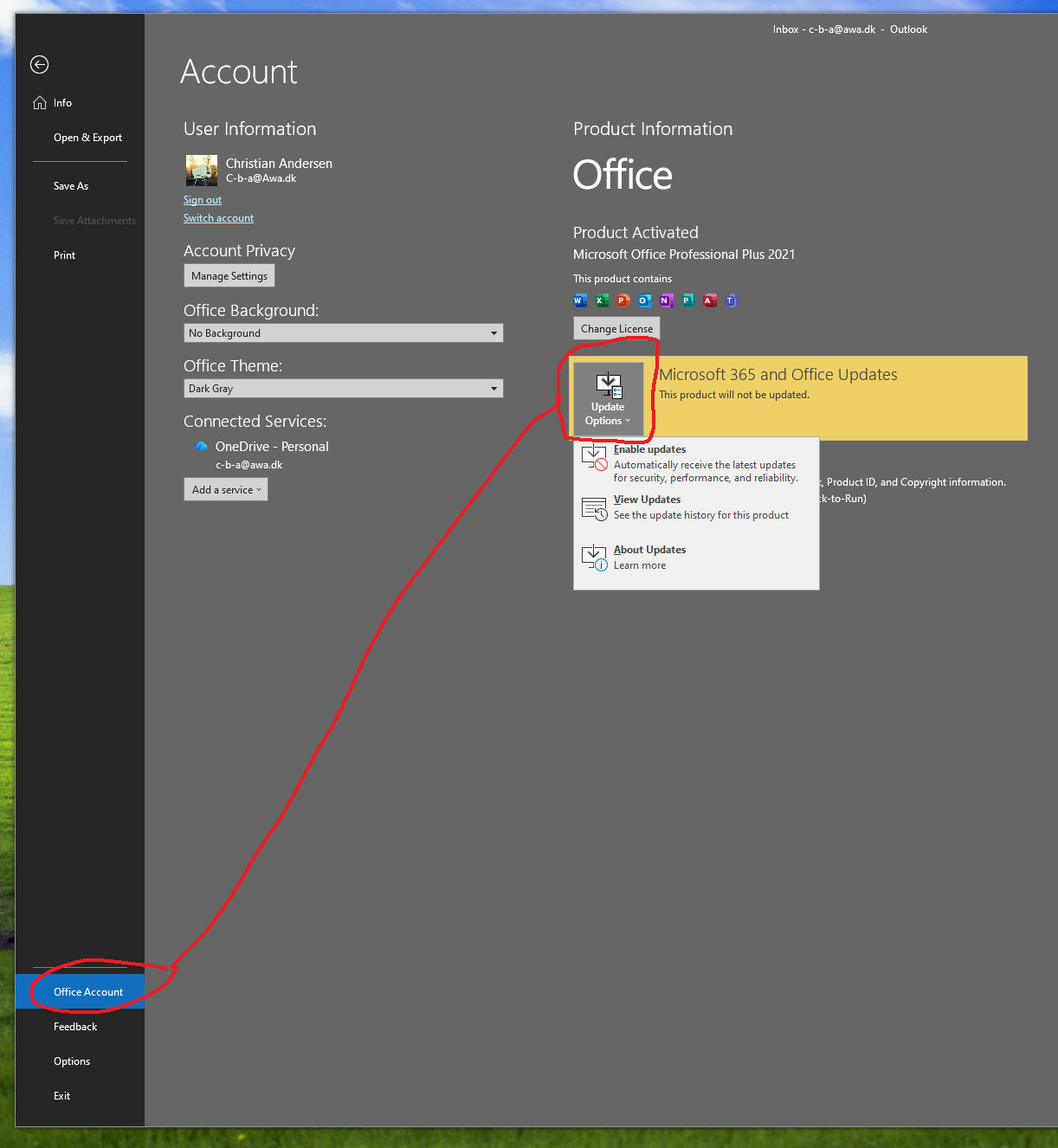
File menu -> Office account -> Update options (dropdown menu) -> Disable updates (so it wont update to Microsoft Office 365 ever).
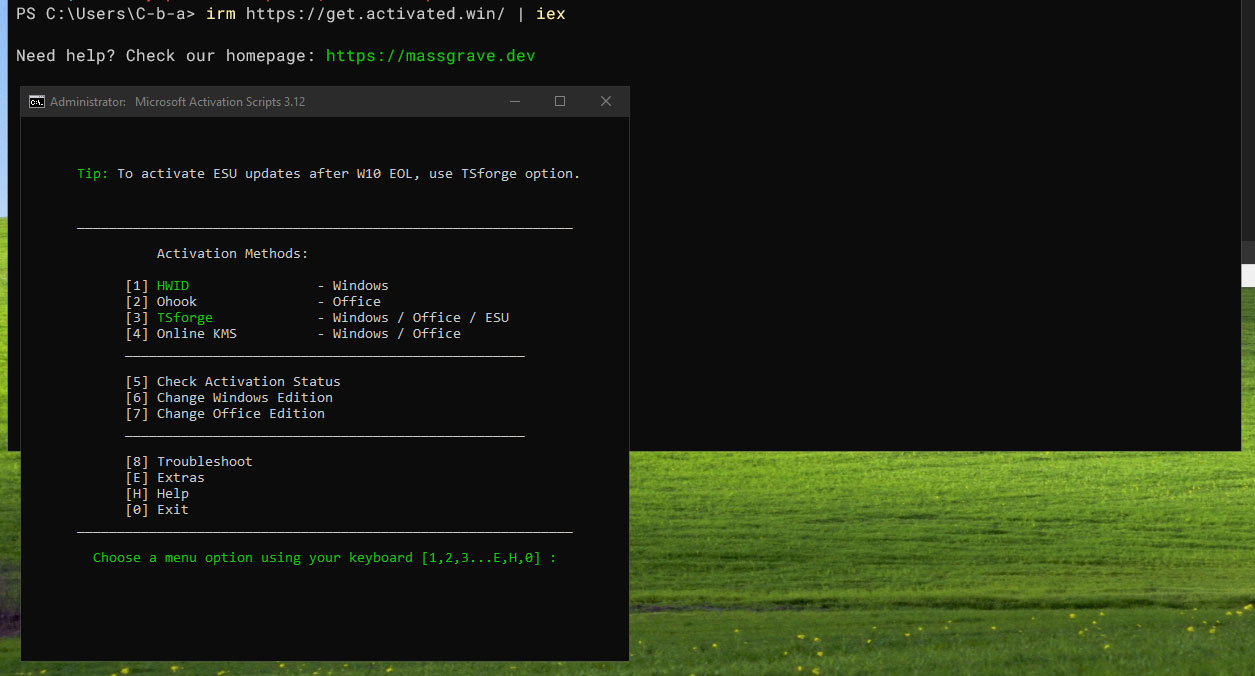
After that, open windows powershell terminal and run this command -> irm https://get.activated.win/ | iex
Choose any "activation method" from the menu, after this Microsoft Office 2021 should be fully activated.